Hey info-beam lovers!
I’m a university prof and I’ve been trying for years to have a nice carousel of our laboratory pictures, with more than just fade in/out, and could never get a decent Ken Burns effect on a Raspberry Pi. I ran into info-beamer pi recently and was able to set up a very nice picture frame, with the help of ChatGPT.
Basically my prompt was: “I want to use my Raspberry Pi 5 as a digital photo frame with Ken Burns effect. I have installed info-beamer pi. Help me set up the following slideshow: Pictures in landscape mode should be displayed with the Ken Burns effect from one corner to the other. Picture that are “panoramic” should be slowly panned from left-to right, so that the whole picture is eventually shown. Pictures that are in portrait should be presented with left and right black borders.”
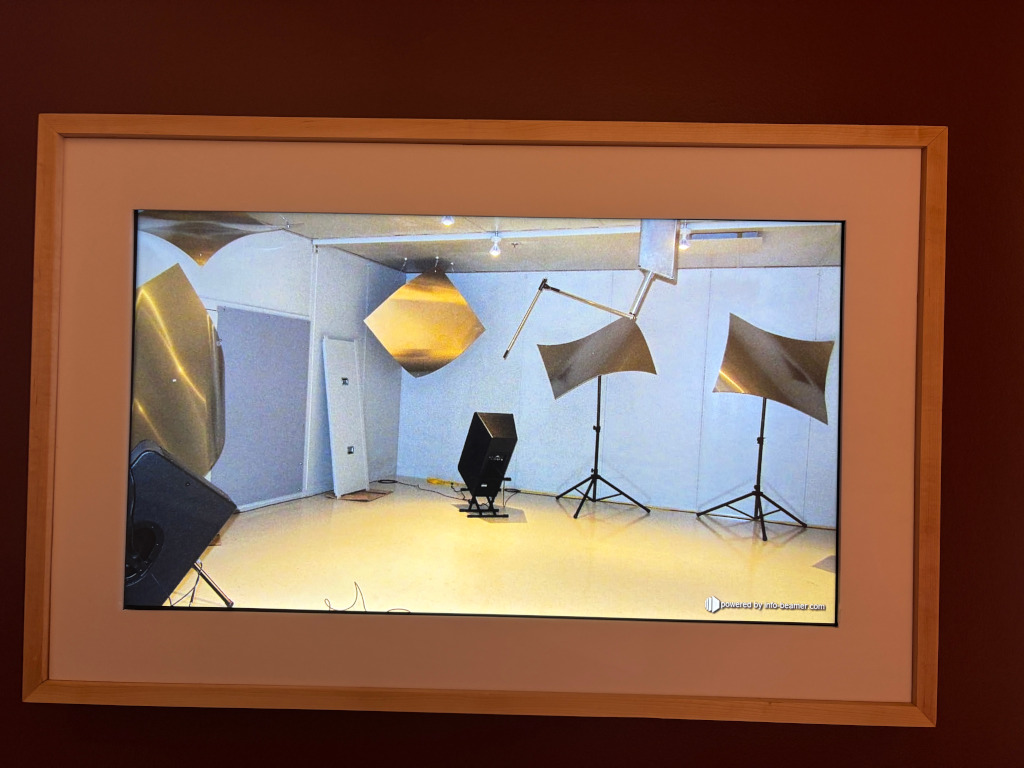
The result is great, and I’m attaching both the LUA script and the view of the frame (and our labs!).
gl.setup(NATIVE_WIDTH, NATIVE_HEIGHT)

----------------------------------------------------------------------
-- Configuration
----------------------------------------------------------------------

-- Total time for each photograph, in seconds
local SLIDE_TIME = 60.0

-- Fade to/from black
local FADE_TIME = 4.0

-- A landscape photograph becomes a panorama when:
--
--     image_aspect > screen_aspect * PANORAMA_FACTOR
--
-- On a 16:9 display:
--     1.777 * 1.25 = 2.22
--
local PANORAMA_FACTOR = 1.25

-- Ken Burns zoom range
local KB_ZOOM_MIN = 1.02
local KB_ZOOM_MAX = 1.14

-- Default corporate logo brightness.
-- 0.05 means 5% opacity over black.
local DEFAULT_LOGO_ALPHA = 0.15

-- Safety limit: even if a larger value is requested externally,
-- do not display the logo above this brightness.
local MAX_LOGO_ALPHA = 0.90


----------------------------------------------------------------------
-- Utility functions
----------------------------------------------------------------------

local function clamp(v, lo, hi)
    if v < lo then return lo end
    if v > hi then return hi end
    return v
end

local function lerp(a, b, t)
    return a + (b - a) * t
end

-- Smooth acceleration/deceleration
local function smoothstep(t)
    t = clamp(t, 0, 1)
    return t * t * (3 - 2 * t)
end


----------------------------------------------------------------------
-- Load playlist
----------------------------------------------------------------------

local function load_playlist()
    local list = {}
    local data = resource.load_file("photos.txt")

    for line in data:gmatch("[^\r\n]+") do
        -- Ignore blank lines and comments
        if line:match("%S") and line:sub(1,1) ~= "#" then
            list[#list + 1] = line
        end
    end

    return list
end

local photos = load_playlist()

if #photos == 0 then
    error("photos.txt contains no photographs")
end

print(string.format(
    "Loaded playlist containing %d photographs",
    #photos
))


----------------------------------------------------------------------
-- Slideshow state
----------------------------------------------------------------------

local current = nil
local pending = nil
local slide_started = sys.now()


----------------------------------------------------------------------
-- Corporate logo
----------------------------------------------------------------------

-- logo.png must be located in the node directory.
local logo = resource.load_image("logoETS.png")

local logo_override = false
local logo_alpha = DEFAULT_LOGO_ALPHA

-- Give this node a predictable address on info-beamer's
-- UDP control interface.
node.alias("photo-frame")


----------------------------------------------------------------------
-- Corporate logo control
--
-- Accepted messages:
--
--     photo-frame:logo:on
--     photo-frame:logo:on:0.03
--     photo-frame:logo:off
--
----------------------------------------------------------------------

node.event("data", function(data, suffix)

    --------------------------------------------------------------
    -- Enable logo
    --------------------------------------------------------------

    if data == "logo:on" then

        logo_alpha = DEFAULT_LOGO_ALPHA
        logo_override = true

        print(string.format(
            "Corporate logo enabled at brightness %.3f",
            logo_alpha
        ))

        return
    end


    --------------------------------------------------------------
    -- Enable logo with explicit brightness
    --------------------------------------------------------------

    local requested_alpha =
        data:match("^logo:on:([0-9]*%.?[0-9]+)$")

    if requested_alpha then

        local a = tonumber(requested_alpha)

        if a then
            logo_alpha = clamp(
                a,
                0.01,
                MAX_LOGO_ALPHA
            )

            logo_override = true

            print(string.format(
                "Corporate logo enabled at brightness %.3f",
                logo_alpha
            ))
        end

        return
    end


    --------------------------------------------------------------
    -- Disable logo
    --------------------------------------------------------------

    if data == "logo:off" then

        if logo_override then
            logo_override = false

            -- Start the current photograph again from the beginning
            -- of its Ken Burns/pan sequence.
            slide_started = sys.now()

            print("Corporate logo disabled")
        end

        return
    end

end)


----------------------------------------------------------------------
-- Image loading
----------------------------------------------------------------------

local function next_index(idx)
    return (idx % #photos) + 1
end


local function load_photo(idx)

    local path = photos[idx]

    print(string.format(
        "Loading %d/%d: %s",
        idx,
        #photos,
        path
    ))

    local img = resource.load_image {
        file = path;
        mipmap = true;
    }

    return {
        image = img;
        path = path;
        idx = idx;
        ready = false;
        failed = false;
    }
end


local function poll_load(job)

    if not job or job.ready or job.failed then
        return
    end

    local state, a, b = job.image:state()

    if state == "loaded" then

        job.ready = true
        job.w = a
        job.h = b

        print(string.format(
            "Loaded %s (%dx%d, aspect %.3f)",
            job.path,
            job.w,
            job.h,
            job.w / job.h
        ))

    elseif state == "error" then

        print(string.format(
            "ERROR loading %s: %s",
            job.path,
            tostring(a)
        ))

        job.image:dispose()
        job.failed = true
    end
end


local function queue_after(idx)
    pending = load_photo(next_index(idx))
end


local function promote(job, now)

    if current then
        current.image:dispose()
    end

    current = job
    pending = nil
    slide_started = now

    --------------------------------------------------------------
    -- Select one of four diagonal Ken Burns paths.
    --------------------------------------------------------------

    current.corner_path = (current.idx - 1) % 4

    --------------------------------------------------------------
    -- Alternate zoom-in and zoom-out.
    --------------------------------------------------------------

    current.zoom_in = (current.idx % 2 == 1)

    --------------------------------------------------------------
    -- Preload next photograph.
    --------------------------------------------------------------

    queue_after(current.idx)
end


----------------------------------------------------------------------
-- Portrait rendering
----------------------------------------------------------------------

local function draw_portrait(job, alpha)

    -- gl.clear() has already made the entire screen black.
    --
    -- util.draw_correct fits the complete image while preserving
    -- aspect ratio. A portrait photograph therefore naturally
    -- receives black borders on its left and right sides.

    util.draw_correct(
        job.image,
        0, 0,
        WIDTH, HEIGHT,
        alpha
    )
end


----------------------------------------------------------------------
-- Panorama rendering
----------------------------------------------------------------------

local function draw_panorama(job, t, alpha)

    local image_aspect = job.w / job.h
    local screen_aspect = WIDTH / HEIGHT

    --------------------------------------------------------------
    -- Display the photograph at full screen height.
    --
    -- Determine what fraction of the source width corresponds
    -- to one complete screen.
    --------------------------------------------------------------

    local crop_w = screen_aspect / image_aspect
    crop_w = clamp(crop_w, 0, 1)

    --------------------------------------------------------------
    -- Smooth left -> right movement.
    --------------------------------------------------------------

    local p = smoothstep(t)

    local x1 = (1.0 - crop_w) * p
    local x2 = x1 + crop_w

    --------------------------------------------------------------
    -- At t=0:
    --
    --     [0 ........ crop_w]
    --
    -- At t=1:
    --
    --     [1-crop_w ........ 1]
    --
    -- Every horizontal part of the panoramic photograph is
    -- therefore eventually shown.
    --------------------------------------------------------------

    job.image:draw(
        0, 0,
        WIDTH, HEIGHT,
        alpha,
        x1, 0,
        x2, 1
    )
end


----------------------------------------------------------------------
-- Landscape Ken Burns rendering
----------------------------------------------------------------------

local function draw_landscape(job, t, alpha)

    local image_aspect = job.w / job.h
    local screen_aspect = WIDTH / HEIGHT

    --------------------------------------------------------------
    -- Determine the largest source rectangle that exactly matches
    -- the display aspect ratio.
    --------------------------------------------------------------

    local base_w
    local base_h

    if image_aspect >= screen_aspect then

        -- Source is wider than the display.
        base_h = 1.0
        base_w = screen_aspect / image_aspect

    else

        -- Source is taller than the display.
        base_w = 1.0
        base_h = image_aspect / screen_aspect
    end


    --------------------------------------------------------------
    -- Position within the animation.
    --------------------------------------------------------------

    local p = smoothstep(t)


    --------------------------------------------------------------
    -- Zoom
    --------------------------------------------------------------

    local zoom

    if job.zoom_in then

        zoom = lerp(
            KB_ZOOM_MIN,
            KB_ZOOM_MAX,
            p
        )

    else

        zoom = lerp(
            KB_ZOOM_MAX,
            KB_ZOOM_MIN,
            p
        )
    end


    local crop_w = base_w / zoom
    local crop_h = base_h / zoom


    --------------------------------------------------------------
    -- Corner-to-corner motion
    --
    -- 0 = upper-left  -> lower-right
    -- 1 = upper-right -> lower-left
    -- 2 = lower-left  -> upper-right
    -- 3 = lower-right -> upper-left
    --------------------------------------------------------------

    local sx, sy
    local ex, ey

    if job.corner_path == 0 then

        sx, sy = 0, 0
        ex, ey = 1, 1

    elseif job.corner_path == 1 then

        sx, sy = 1, 0
        ex, ey = 0, 1

    elseif job.corner_path == 2 then

        sx, sy = 0, 1
        ex, ey = 1, 0

    else

        sx, sy = 1, 1
        ex, ey = 0, 0
    end


    --------------------------------------------------------------
    -- Interpolate the source crop.
    --------------------------------------------------------------

    local x1 = lerp(
        sx * (1.0 - crop_w),
        ex * (1.0 - crop_w),
        p
    )

    local y1 = lerp(
        sy * (1.0 - crop_h),
        ey * (1.0 - crop_h),
        p
    )

    local x2 = x1 + crop_w
    local y2 = y1 + crop_h


    --------------------------------------------------------------
    -- Draw the selected source rectangle over the entire display.
    --------------------------------------------------------------

    job.image:draw(
        0, 0,
        WIDTH, HEIGHT,
        alpha,
        x1, y1,
        x2, y2
    )
end


----------------------------------------------------------------------
-- Corporate logo rendering
----------------------------------------------------------------------

local function draw_logo()

    local state = logo:state()

    if state ~= "loaded" then
        return
    end

    --------------------------------------------------------------
    -- The entire screen has already been cleared to black.
    --
    -- Leave a substantial margin around the logo and preserve
    -- its aspect ratio.
    --------------------------------------------------------------

    util.draw_correct(
        logo,

        WIDTH  * 0.15,
        HEIGHT * 0.15,

        WIDTH  * 0.85,
        HEIGHT * 0.85,

        logo_alpha
    )
end


----------------------------------------------------------------------
-- Render current photograph
----------------------------------------------------------------------

local function draw_current(now)

    if not current then
        return
    end

    local elapsed = now - slide_started

    local t = clamp(
        elapsed / SLIDE_TIME,
        0,
        1
    )


    --------------------------------------------------------------
    -- Fade
    --------------------------------------------------------------

    local alpha = 1.0

    -- Fade in
    if elapsed < FADE_TIME then
        alpha = elapsed / FADE_TIME
    end

    -- Fade out only if the next photograph is already available.
    if pending and pending.ready then

        if elapsed > SLIDE_TIME - FADE_TIME then

            alpha = math.min(
                alpha,
                (SLIDE_TIME - elapsed) / FADE_TIME
            )
        end
    end

    alpha = clamp(alpha, 0, 1)


    --------------------------------------------------------------
    -- Classify photograph
    --------------------------------------------------------------

    local image_aspect = current.w / current.h
    local screen_aspect = WIDTH / HEIGHT


    if current.w < current.h then

        ----------------------------------------------------------
        -- Portrait
        ----------------------------------------------------------

        draw_portrait(
            current,
            alpha
        )


    elseif image_aspect >
           screen_aspect * PANORAMA_FACTOR then

        ----------------------------------------------------------
        -- Panorama
        ----------------------------------------------------------

        draw_panorama(
            current,
            t,
            alpha
        )


    else

        ----------------------------------------------------------
        -- Ordinary landscape
        ----------------------------------------------------------

        draw_landscape(
            current,
            t,
            alpha
        )

    end
end


----------------------------------------------------------------------
-- Start loading first photograph
----------------------------------------------------------------------

pending = load_photo(1)


----------------------------------------------------------------------
-- Main render loop
----------------------------------------------------------------------

function node.render()

    local now = sys.now()


    --------------------------------------------------------------
    -- Always start with a pure black display.
    --------------------------------------------------------------

    gl.clear(0, 0, 0, 1)


    --------------------------------------------------------------
    -- Poll asynchronous photo loader.
    --------------------------------------------------------------

    poll_load(pending)


    --------------------------------------------------------------
    -- Skip unreadable photographs.
    --------------------------------------------------------------

    if pending and pending.failed then

        local bad_idx = pending.idx

        pending = load_photo(
            next_index(bad_idx)
        )

        poll_load(pending)
    end


    --------------------------------------------------------------
    -- Establish first photograph.
    --------------------------------------------------------------

    if not current then

        if pending and pending.ready then
            promote(pending, now)
        end
    end


    --------------------------------------------------------------
    -- CORPORATE LOGO OVERRIDE
    --
    -- Important: this occurs BEFORE advancing the slideshow.
    -- Consequently the current photograph remains selected while
    -- the logo is visible.
    --------------------------------------------------------------

    if logo_override then

        draw_logo()
        return
    end


    --------------------------------------------------------------
    -- Advance to the following photograph once its display time
    -- has expired, but only if that photograph is ready.
    --------------------------------------------------------------

    if current and
       pending and
       pending.ready and
       now - slide_started >= SLIDE_TIME then

        promote(
            pending,
            now
        )
    end


    --------------------------------------------------------------
    -- Normal slideshow
    --------------------------------------------------------------

    draw_current(now)

end