Hi everyone,
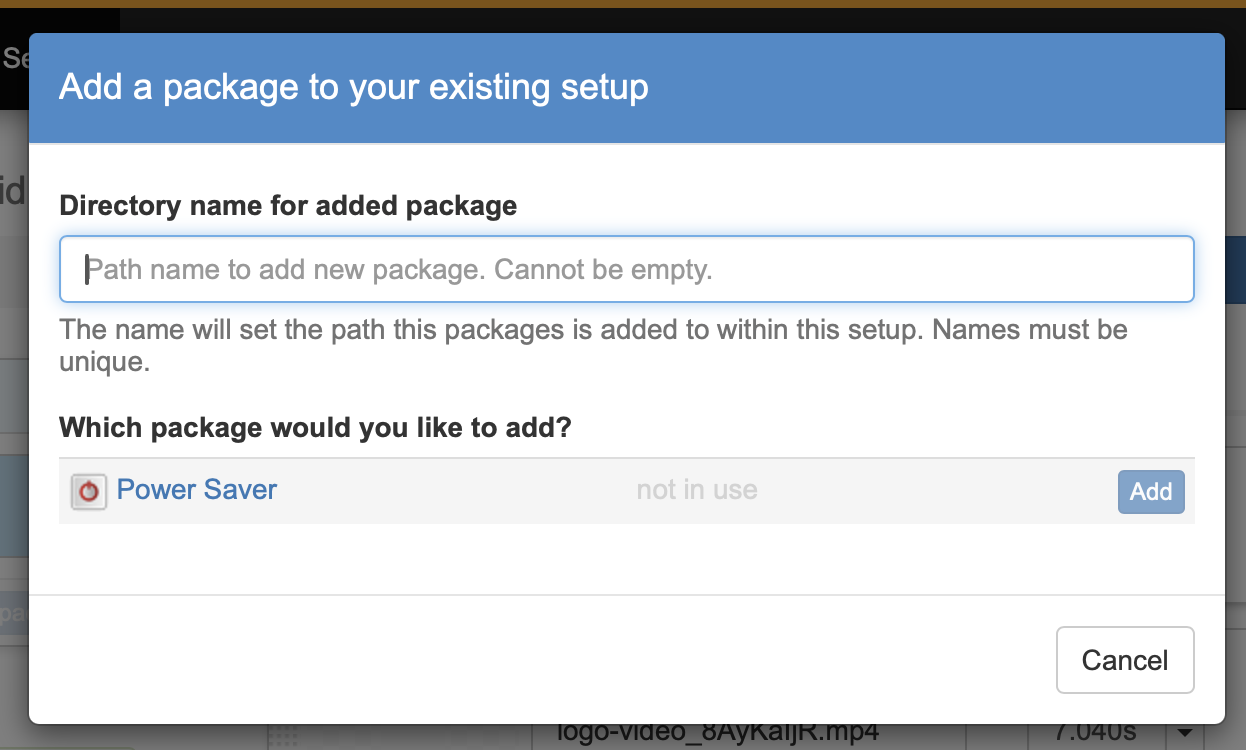
I’m having an issue with the Power Saver plugin. When I try to add it to my setup, the “Add” button is greyed out, and there’s no message explaining why.
It shows up normally, but I can’t actually add it.
I was able to add it in a new scenario, but then in that new scenario I couldn’t upload any media or do anything else after that.
Has anyone experienced this or know what might be causing it?
Thanks for any help.
You need to enter a directory name indicating where you want to add that package within your existing setup. Most likely it doesn’t matter which directory name you chose, but it cannot be empty (is it is in your screenshot). Just type power as the directory name and the Add button will be available.
I’ll see that this UI is improved to make this more obvious. Sorry about that.
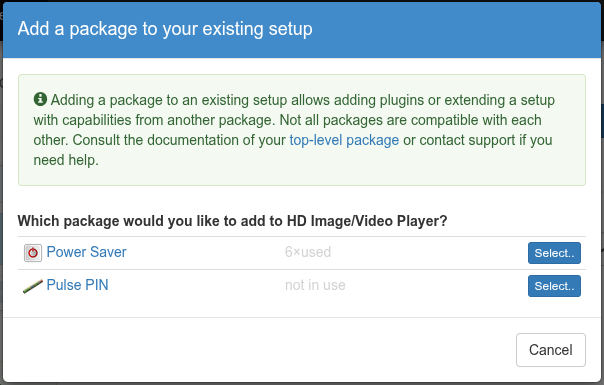
Ok. Configuration flow is modified and the dialog is now split into two parts. This will be available after the next dashboard update. First you select the package your want to add to your setup:
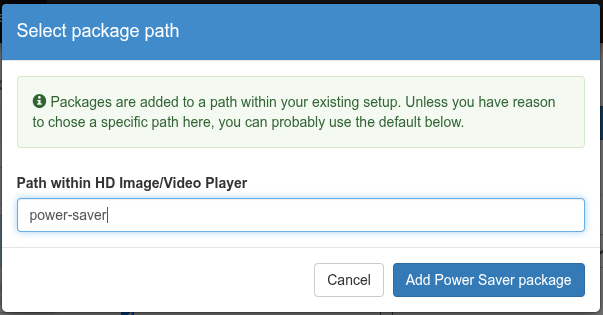
In a followup step you then select a path, which is now prefilled:
Would you think that would help?
Oh, thank you very much! Now it is very obvious  For some reason I thought that field is a search field and I did not read placeholder for some reason. Changes to the plugin are welcomed. I believe there might be more people like me
  Thank you very much!
I would like to add one more thing.
Info-beamer is an excellent piece of technology. Our company in the Czech Republic develops a similar solution, but we focus on information displays for schools, so I understand how much work goes into this type of project. Overall, the software is outstanding, but the user interface significantly undermines its quality—it looks outdated and is not intuitive to use.
If you are interested, our company, [link removed], would be happy to provide a complimentary proposal for a redesigned UI. Completely free in the beginning. If the design is well received, we can develop it further. Regardless of who ultimately implements it, I believe a project of this caliber truly deserves a more modern appearance.
However, thanks fot this software!
(I’ve removed the link from your post. This is not the place to advertise potentially competing services. Hope you understand).
info-beamer has full OAuth support and an API for basically everything. You can develop an alternative UI right now and it could be used by any info-beamer user with a single click and linked from here.
I agree that the UI doesn’t follow the latest fashion trends, but is has been incrementally improved (without major revamp) during the last 12 years and users can rely on the UI they’ve learned still being there tomorrow. It also tries to be responsive and fast without unnecessary animations. But of course I’m curious what you would improve.